A Python-based machine learning model that forecasts match outcomes.
About
The Premier League Predictor is a data driven tool built to forecast football match outcomes using machine learning. The project gathers and processes historical Premier League data, team statistics, and form metrics to train a classification model capable of predicting match results. It was designed to explore the application of artificial intelligence in sports analytics and showcases skills in data preprocessing, model training, evaluation, and deployment. The predictor provides a practical example of how AI can interpret and act on real world data.
Project Details
App Title: Premier League Predictor
Genre: Data Science / Sports Analytics
Platform: PC
Development Tools: Python, Pandas, Scikit-learn
App Features:
Preprocess and analyze historical Premier League data
Train a classification model to predict match outcomes
Evaluate model accuracy and refine predictions
Visualize team performance trends and prediction results
Explore potential real-world applications of AI in sports
This feature uses a trained machine learning model to predict the outcome of a Premier League football match based on the selected home and away teams. The result can be a Home Win, Draw, or Away Win, providing users with an AI-generated insight into potential match results.
Implementation
When the user selects two different teams from the dropdowns and clicks the "Predict" button, the application sends these inputs to a logistic regression model. This model returns both a predicted result and a probability distribution over all three outcomes. The result is displayed as a label in the GUI, and the associated probabilities are shown below it.
Design Approach
A clean and focused GUI using Tkinter enables simple team selection and clear display of the prediction result. The model logic is separated from the interface, allowing easy upgrades or retraining of the AI without altering the frontend. The design prioritizes usability and fast access to results.
Click for details
×
Match Prediction This video showcases the process of selecting two football teams from the dropdown menus to generate a match prediction. Once the user picks a home and away team, the AI predicts the match outcome (Home Win, Away Win, or Draw) based on historical data and model training. The video demonstrates the simplicity and interactivity of the interface, where users can easily visualize the predicted result and corresponding probabilities, all in real-time.
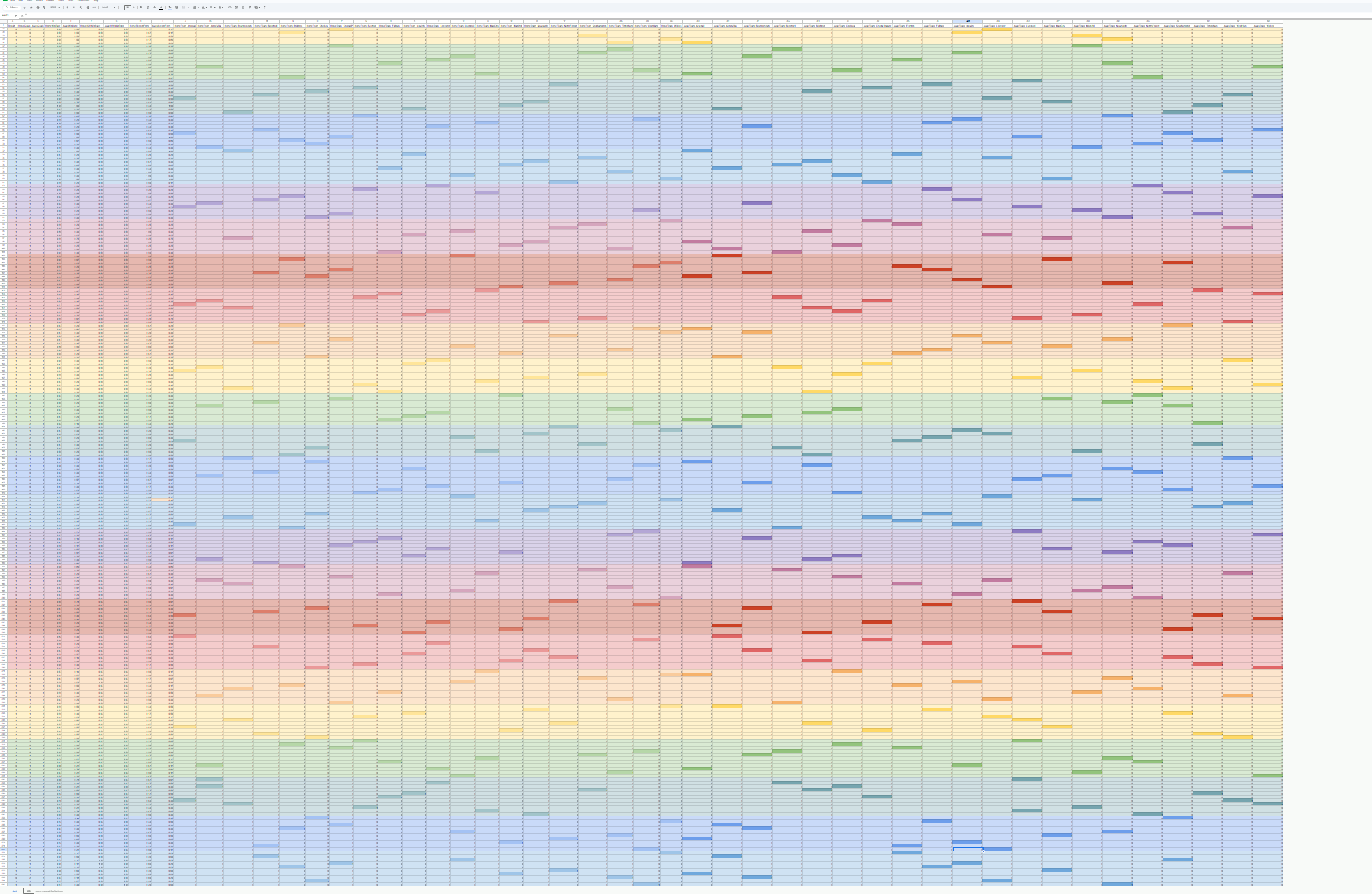
Match Data Spreadsheet for Training The image presents a snapshot of the training dataset used by the AI model to generate football match predictions.
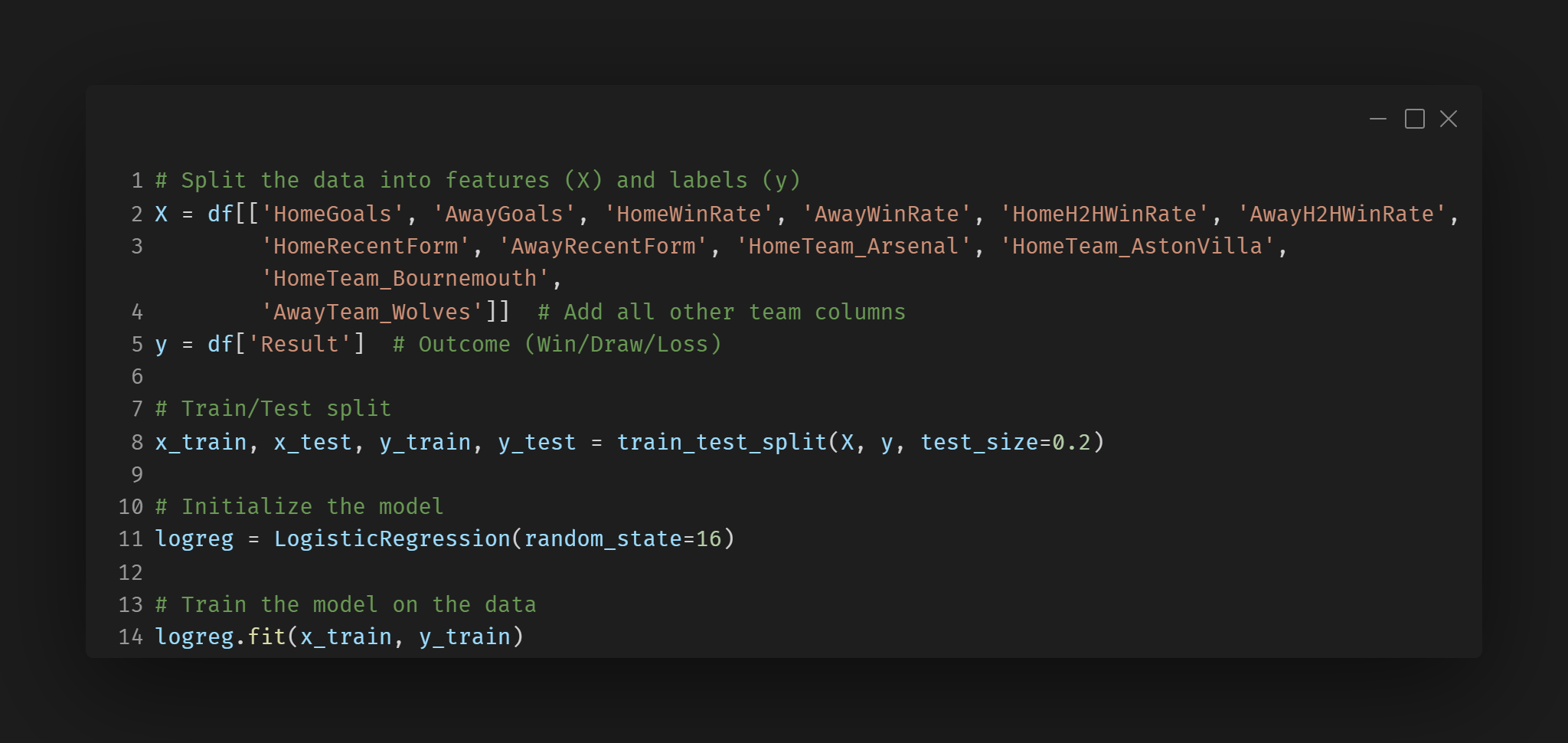
Training the Logistic Regression Model
This snippet demonstrates how the logistic regression model is trained using historical match data. The model learns from features such as goals scored, win rates, and team form, which will later be used for predicting match outcomes.
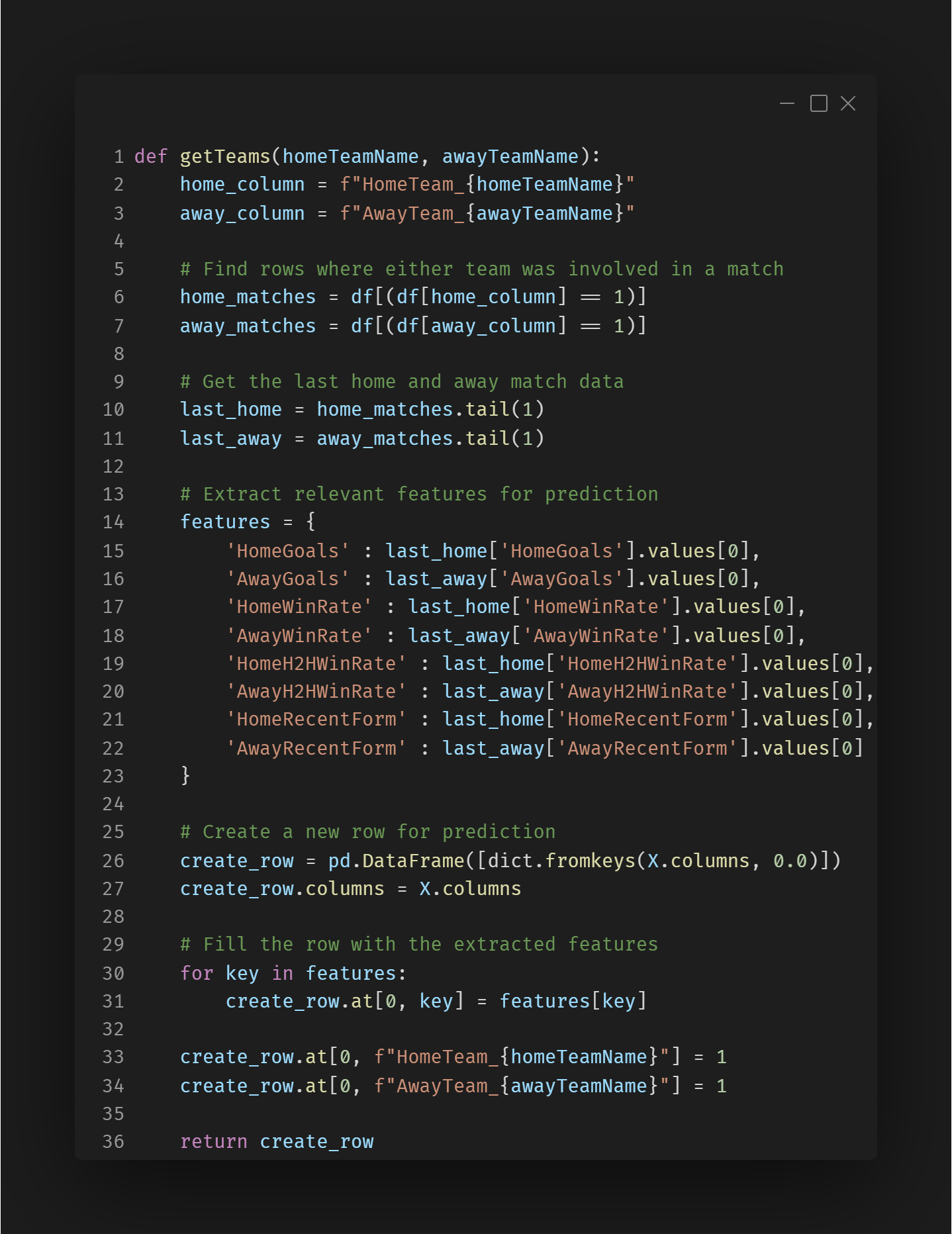
Preparing the Input for Match Prediction
This snippet demonstrates how the most recent data for the selected home and away teams is extracted and used to create a new row. This row will be passed to the model for prediction.
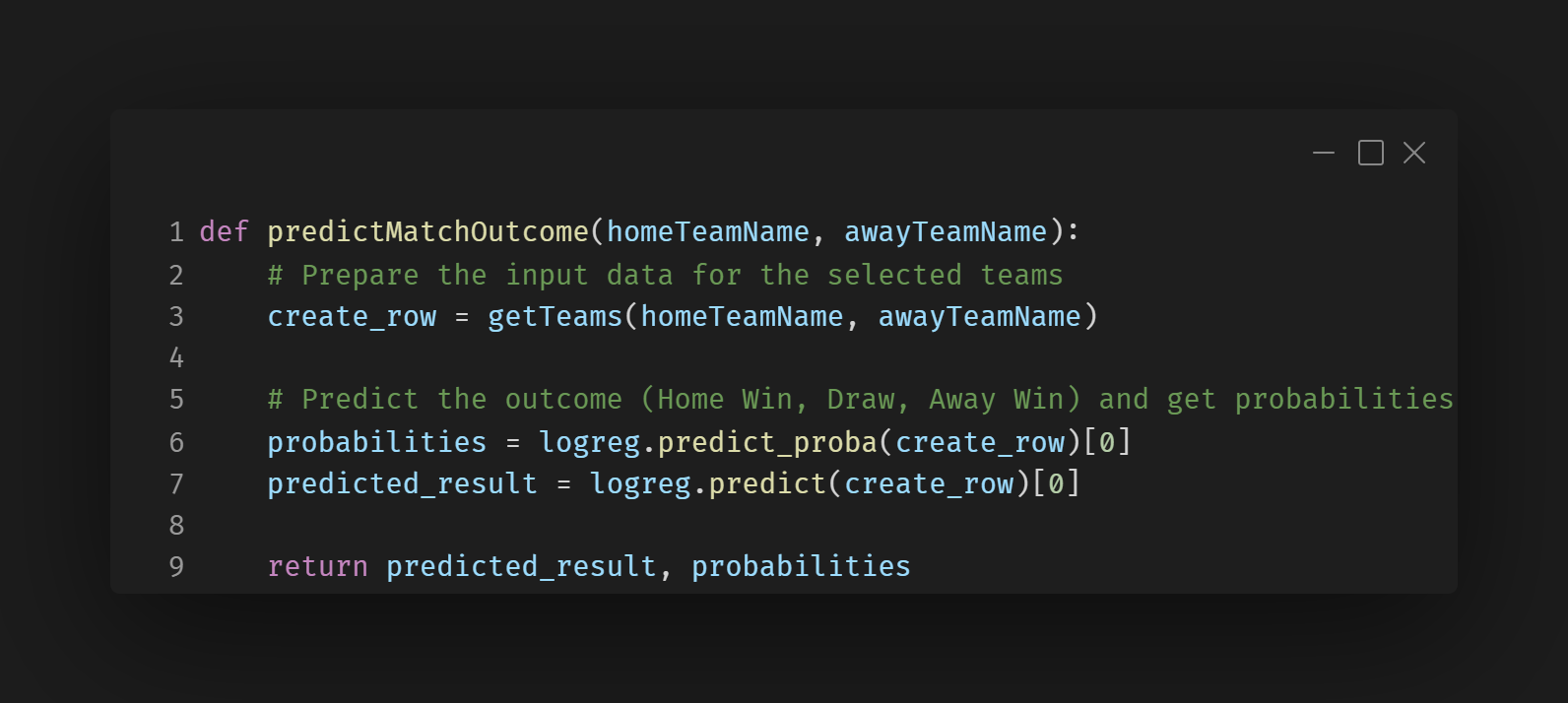
Making the Match Prediction
Once the data is prepared for the selected teams, this snippet shows how the model is used to predict the outcome of the match. The prediction and its associated probabilities are returned, which provide insight into the likelihood of each outcome (Home Win, Draw, Away Win).
Challenges
Handling Team Data Association
Challange:
One of the significant challenges I faced during the development of the AI Match Prediction feature was properly associating the teams playing in each match. Initially, the model struggled to differentiate between home and away teams, which made the predictions inaccurate or impossible. The dataset lacked clear distinctions for the teams playing in the matches, leading to errors in the prediction process.
Solution:
To address the issue of team data association, I restructured the dataset to clearly indicate which teams were playing at home and which were playing away. For each match, I created separate columns for both Home Team and Away Team for all teams in the league. I assigned a value of 1 to the respective columns for the teams involved in the match and 0 for the others. This allowed the model to correctly differentiate between the two teams and capture relevant features for prediction.
Description
The Probability Breakdown feature provides a detailed analysis of the predicted match result by displaying the likelihood of each possible outcome: a Home Win, Away Win, or Draw. This feature is based on the predictions made by the AI model, and it allows users to understand how confident the model is in each of its predictions, providing valuable insight into the chances of each possible result.
Implementation
The logistic regression model's predict_proba() function gives us the probability of each class (Home Win, Away Win, and Draw), which we display to the user. This is done after the user selects the teams for the match and the model makes a prediction.
Design Approach
The design of the Probability Breakdown feature is focused on clarity and ease of understanding. The goal is to make the probabilities easily visible and simple to interpret for users, without overwhelming them with too much technical detail.
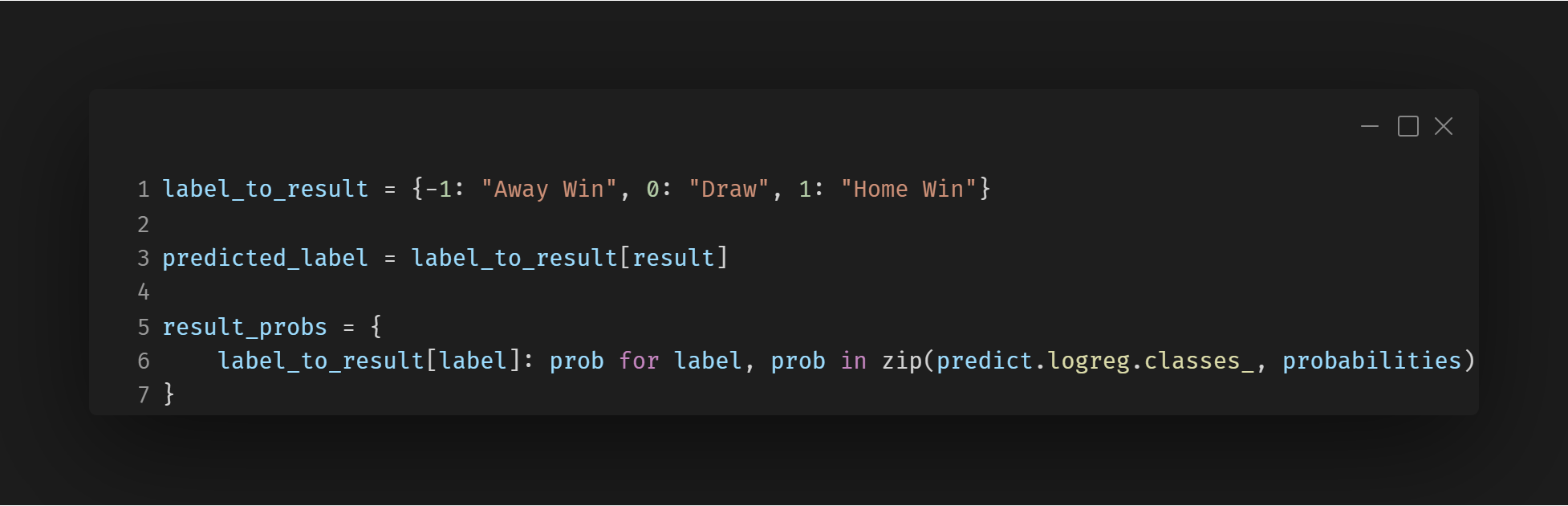
Mapping and Extracting Probabilities
This block maps numeric predictions (like -1, 0, 1) into readable strings and pairs each with its probability
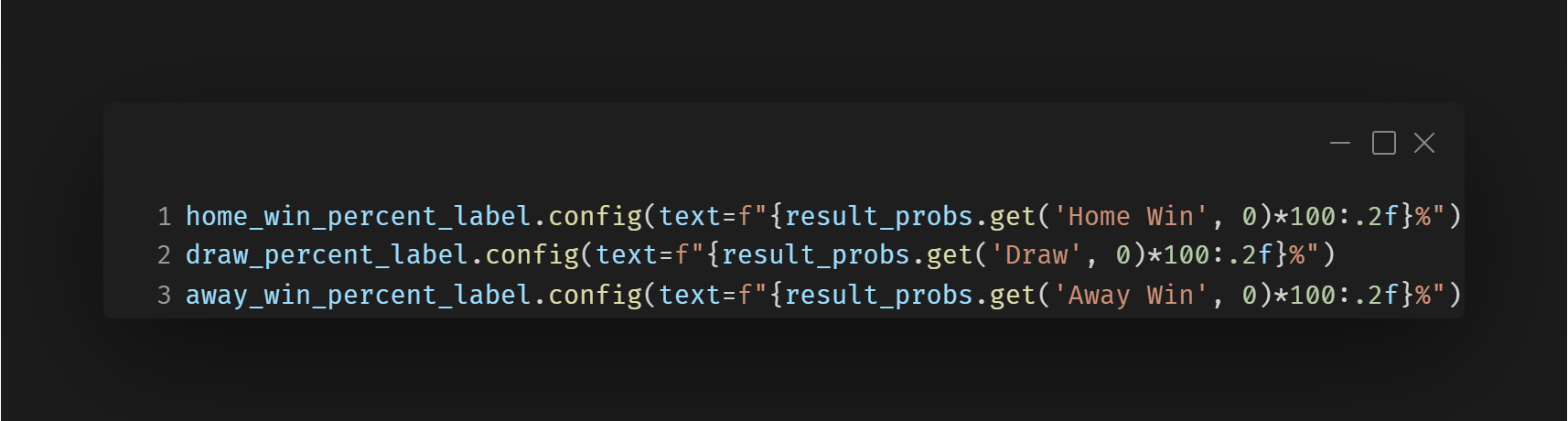
Displaying the Probability
This updates the GUI labels with the percentage chance of each possible match result. This is the core visual part of the Probability Breakdown feature.
Description
The Team Selection feature allows users to choose a home and an away team from a list of all Premier League clubs using dropdown menus. It is the foundation for running AI match predictions, as it enables users to simulate real matchups. This feature also includes built-in validation safeguards, ensuring the user cannot proceed with an invalid or incomplete selection—such as choosing the same team for both sides or not selecting a team at all.
Implementation
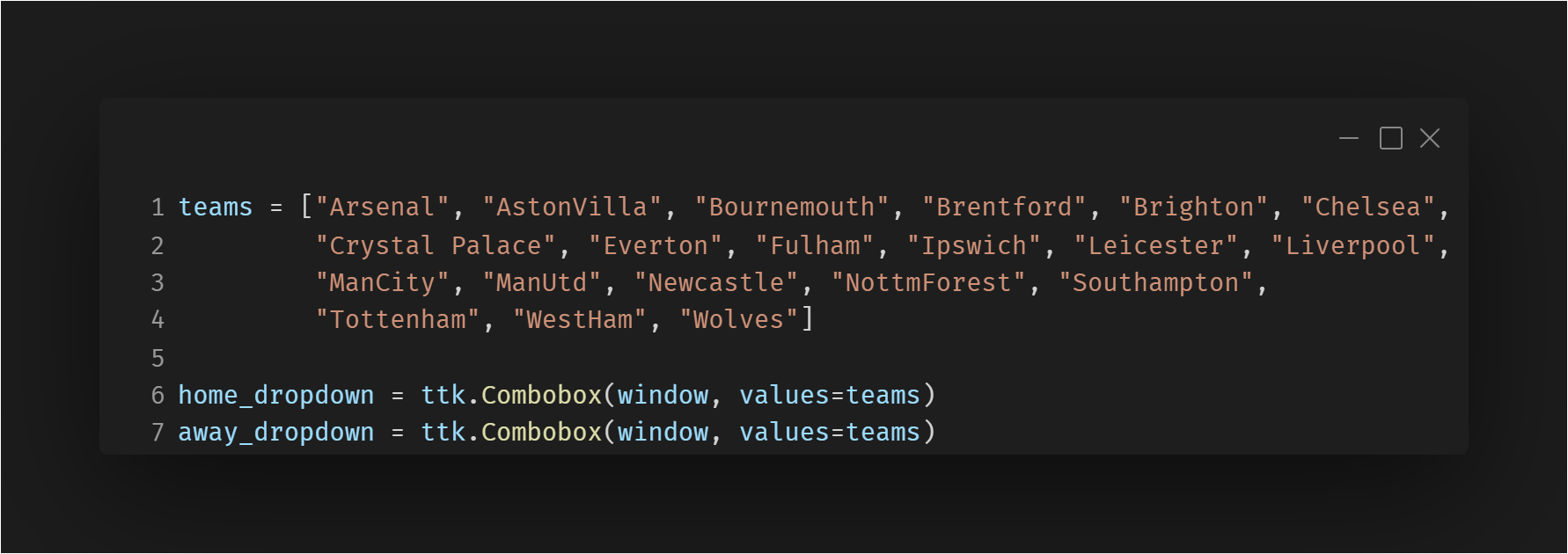
The list of teams is populated from a static list containing all Premier League clubs. Upon clicking the “Predict” button, the app triggers the getDropdownResults() function.
Design Approach
User-Focused Design: A simple, clear layout with labels like “Home Team” and “Away Team” guides users intuitively.
Click for details
×
Team Dropdown Shows the list of all the teams the user can select
Team Dropdown
This snippet initializes the Home and Away team dropdown menus using a predefined list of Premier League teams. It ensures users can only select valid teams from a controlled list, reducing input errors.
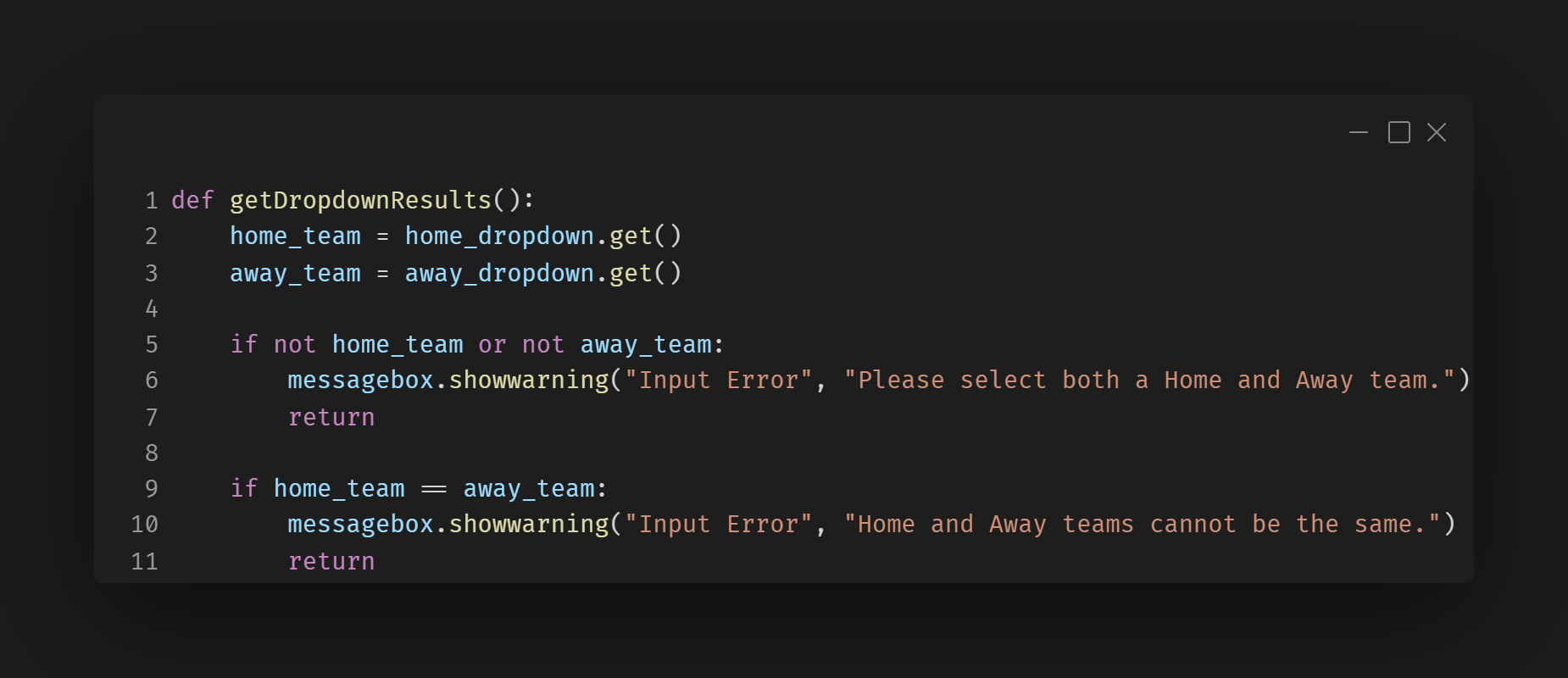
Input Validation
This function performs critical validation checks before running predictions. It prevents the user from selecting the same team for both sides or proceeding without selecting one or both teams, improving the reliability and user experience of the app.
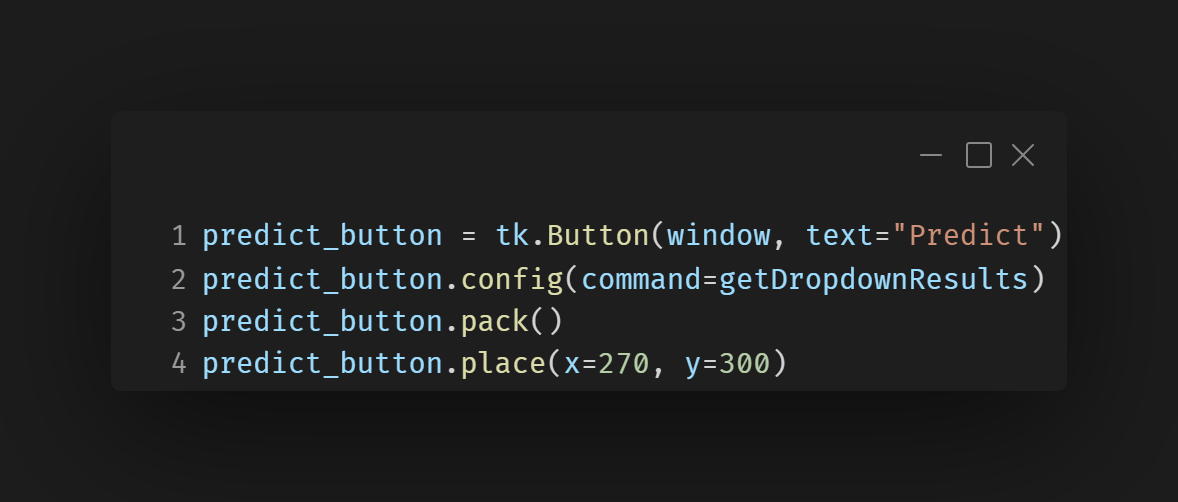
Prediction Trigger
This button links the user's team selections to the prediction system. Once clicked, it calls the validation and prediction logic, acting as the bridge between the team selection and AI prediction features.
Challenges
Input Validation for Team Selection
Challange:
During early development, users were able to select only one team or leave one of the dropdowns blank. This caused the AI prediction function to fail or return incorrect results, as it required data from both a home and away team to make a valid prediction.
Solution:
To resolve this, I implemented input validation that checks whether both a home and away team are selected before the prediction is triggered. If one or both teams are missing, a user-friendly warning message is shown to inform the user and prevent the prediction from running.
What I Learnt
Applying Machine Learning:
This project was my first experience using machine learning to create an AI system that could make predictions based on real world data. I learned how to structure and clean a dataset, train a model using logistic regression, and interpret prediction results.
Retrospective
Future Improvements:
Looking back, this project gave me a strong foundation in both machine learning and dataset engineering. One of the biggest challenges was preparing data that the model could learn from accurately—especially distinguishing between home and away teams. Initially, the AI couldn't recognize the difference, so I had to explicitly encode team roles with one hot encoding. I also learned the importance of input validation in the GUI to prevent model errors from incorrect user selections. In the future, I would like to expand the dataset and explore more advanced models.